I spend most of my day in the terminal. When I need to read documentation, check an article, or look up an API reference, I'd rather not leave my workflow. But reading online meant switching to a browser, waiting for it to load, closing popups, scrolling past ads, and finally getting to the content.
It was breaking my flow.
So I built a simple tool to fix it. It fetches any public webpage, extracts the content, and gives me a clean summary right in my terminal.
What It Actually Does
At its core, glance-cli does one thing: it takes any URL and gives you clean, readable content in your terminal. That's it.
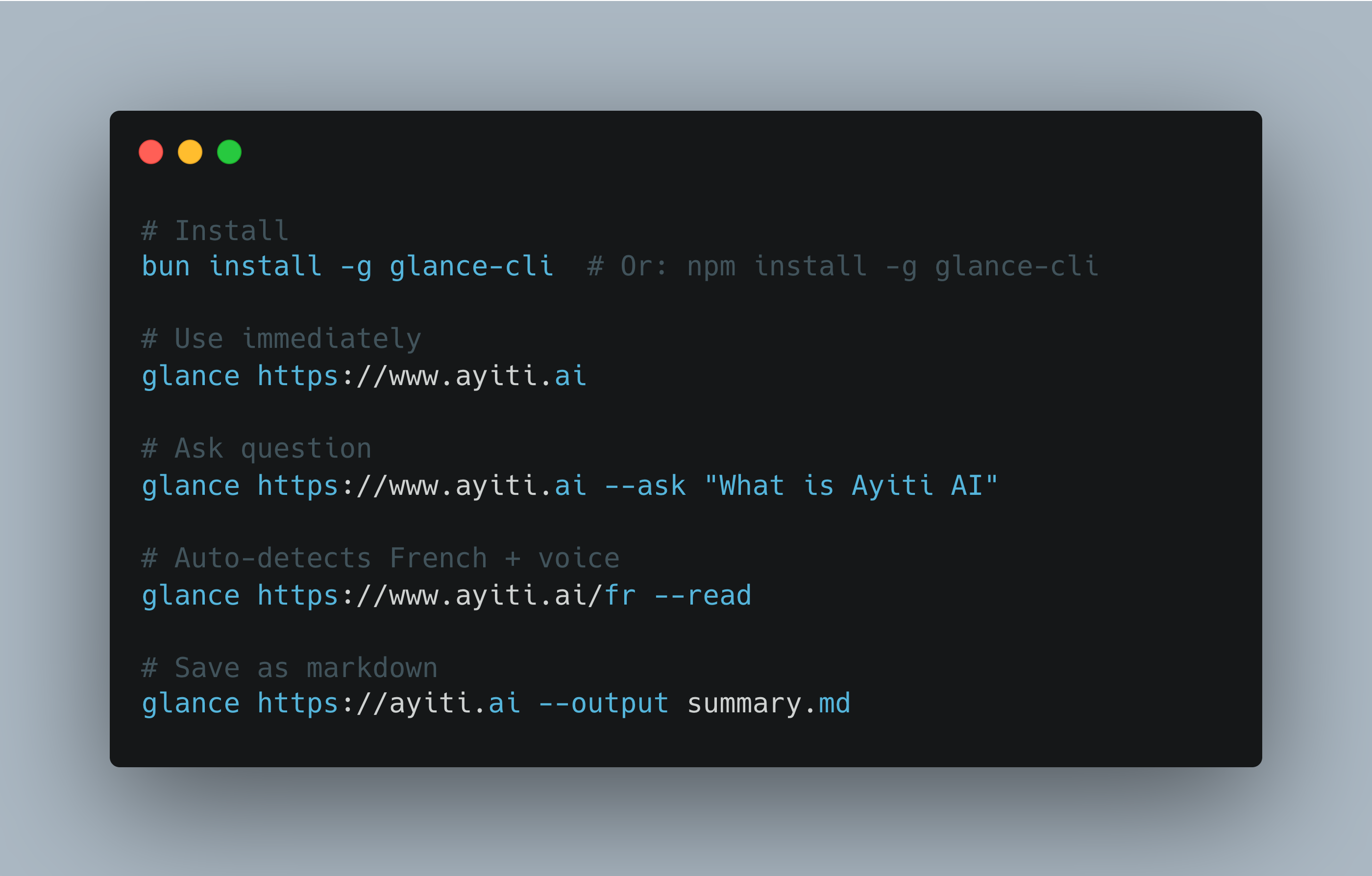
# Install it bun install -g glance-cli # Or: npm install -g glance-cli # Use it glance https://ayiti.ai
But I added a few features that made sense for how I actually work:
AI Summaries - Get a quick TL;DR, bullet points, or ask specific questions about the content.
Auto Language Detection - Detects language from the URL and content automatically. French articles get French formatting and French voices without you specifying anything.
Voice Output - Listen to articles while you code. It reads content aloud using different voices, auto-detecting French, Spanish, or Haitian Creole.
File Saving - Save outputs as markdown, JSON, or plain text for notes or processing later.
100% Free Option - Uses Ollama (local AI) by default, which runs entirely on your machine. No API costs, no data sent to the cloud.
# One-time setup for free local AI
curl -fsSL https://ollama.com/install.sh | sh
ollama pull llama3

# Now it's free forever
glance https://techcrunch.com --tldr
Why I Built It This Way
When I started, I just wanted to read web content in my terminal. But as I used it daily, a few things became clear:
I work across multiple languages. Auto language detection made sense.
I save a lot of content. Documentation snippets, article summaries, I needed an easy way to save things. Simple file output solved this.
I multitask constantly. Listening to articles while coding changed how I consume information. Voice features became essential.
Subscriptions add up. Monthly AI costs can get expensive. I wanted something that could work completely free.
No tracking. Your browsing history stays private.
How to Use It
Here are some common ways people use glance-cli:
Quick Summaries:
# Get the main points from an article
glance https://news.ycombinator.com --tldr

# Listen to content while multitasking
glance https://techcrunch.com/article --read

# Save for later reference
glance https://article.com --output saved/article-$(date +%Y-%m-%d).md
Documentation & Learning:
# Quick lookup without leaving terminal
glance https://nextjs.org/docs/app-router --ask "How do Server Actions work?"

# Understand complex topics simply
glance https://framework.com/docs --eli5

# Extract and save key points
glance https://tutorial.com --key-points --output notes/guide.md
Multilingual Content:
# Auto-detects French and uses appropriate voice
glance https://lemonde.fr/tech/article --read

# Save API reference
glance https://api-docs.com/endpoint --output notes/api-reference.md
The tool fits naturally into terminal workflows, use it however makes sense for you.
Free vs. Paid AI
The free local AI option (Ollama) works great for most things, documentation, articles, news. For really complex technical content or when you need the absolute best quality, paid AI models (OpenAI, Gemini) produce better results.
You can use either:
# Free local AI
glance https://article.com --model llama3

# Premium quality
export OPENAI_API_KEY=sk-...
glance https://complex-paper.com --prefer-quality
Check what services you have available:
glance --check-services
Force free-only mode:
glance https://anything.com --free-only
Use what works for you.
Current Limitations
Here's what doesn't work perfectly yet:
JavaScript-heavy sites - Some single-page apps need the full-render flag, and even then, they might not work perfectly.
Paywalled content - If you can't access it in a browser without logging in, glance-cli can't either. That's by design.
Complex analysis - Local AI is good, but it's not GPT-4. For deep technical analysis, consider using the premium options.
Language support - Currently supports English, French, Spanish and Haitian Creole.
The tool works well for what it's designed for, but it's not a silver bullet.
Try It If You Want
If this sounds useful to you, here's how to get started:
# Install (works with npm or bun)
bun install -g glance-cli  # Or: npm install -g glance-cli

# Works immediately (even without setup)
glance https://ayiti.ai

# For free local AI (optional but recommended)
curl -fsSL https://ollama.com/install.sh | sh
ollama pull llama3
That's it. You can start using it right away.
Some common things people do:
# Quick summaries
glance https://article.com --tldr

# Auto language detection
glance https://lemonde.fr --read

# Listen while working
glance https://docs.com --read

# Ask specific questions
glance https://api-docs.com --ask "How do I authenticate?"

# Save for later
glance https://tutorial.com --output notes/tutorial.md

# Different output formats
glance https://article.com --output summary.json
Links:
Why I'm Sharing This
I built this tool to scratch my own itch, just something that made my daily work easier.
A few friends in the Ayiti AI community saw me using it and asked if I could share it. So I cleaned it up, wrote some docs, and published it.
The code is on GitHub, it's MIT licensed, and I'm happy to take issues or pull requests. If you try it and have feedback, positive or critical, I genuinely want to hear it. That's how it gets better.
Quick Reference
Here's everything in one place:
# Installation
bun install -g glance-cli  # Or: npm install -g glance-cli

# Free AI setup (optional)
curl -fsSL https://ollama.com/install.sh | sh
ollama pull llama3

# Common commands
glance <url>                    # Summary
glance <url> --tldr             # One sentence
glance <url> --key-points       # Bullet points
glance <url> --ask "question"   # Ask anything
glance <url> --read             # Read aloud
glance <url> --output file.md   # Save as markdown

# Auto language detection
glance https://lemonde.fr       # Detects French automatically
glance https://elpais.com       # Detects Spanish automatically

# Output formats
glance <url> --output file.md   # Markdown
glance <url> --output file.json # JSON
glance <url> --output file.txt  # Plain text

# Service control
glance --check-services         # See what's available
glance <url> --free-only        # Never use paid APIs
glance <url> --prefer-quality   # Use premium when available

# Get help
glance --help